Screenshots
About
<base href="https://chariz.com/"/><style>html,body{font:-apple-system-body;line-height:1.4}p,h1,h2,h3,h4,h5,h6,ol,ul{margin:0 0 1rem 0}h1,h2,h3,h4,h5,h6{font-family:ui-rounded,-apple-system}pre,code{font-family:ui-monospace,Menlo,monospace;font-size:.8em}.small{font-size:.85em}ul{list-style-type:disc}ul ul,ol ul{list-style-type:circle}ul ul ul,ol ul ul,ol ol ul,ol ul ul{list-style-type:square}</style><div><p>
<em class="notice small">This is a beta version of NewTerm. If you’re not comfortable using beta software, install <a href="https://chariz.com/get/newterm">NewTerm 2</a> instead.</em></p>
</div>
<base href="https://chariz.com/"/><style>html,body{font:-apple-system-body;line-height:1.4}p,h1,h2,h3,h4,h5,h6,ol,ul{margin:0 0 1rem 0}h1,h2,h3,h4,h5,h6{font-family:ui-rounded,-apple-system}pre,code{font-family:ui-monospace,Menlo,monospace;font-size:.8em}.small{font-size:.85em}ul{list-style-type:disc}ul ul,ol ul{list-style-type:circle}ul ul ul,ol ul ul,ol ol ul,ol ul ul{list-style-type:square}</style><div><p>
<strong>Note: If you are using a rootful jailbreak on iOS 15 or later, you need to install gettext-localizations.</strong></p>
<p>
Introducing <strong>NewTerm 3</strong>, a significant rewrite of the popular NewTerm 2 terminal emulator app for iOS.</p>
<p>
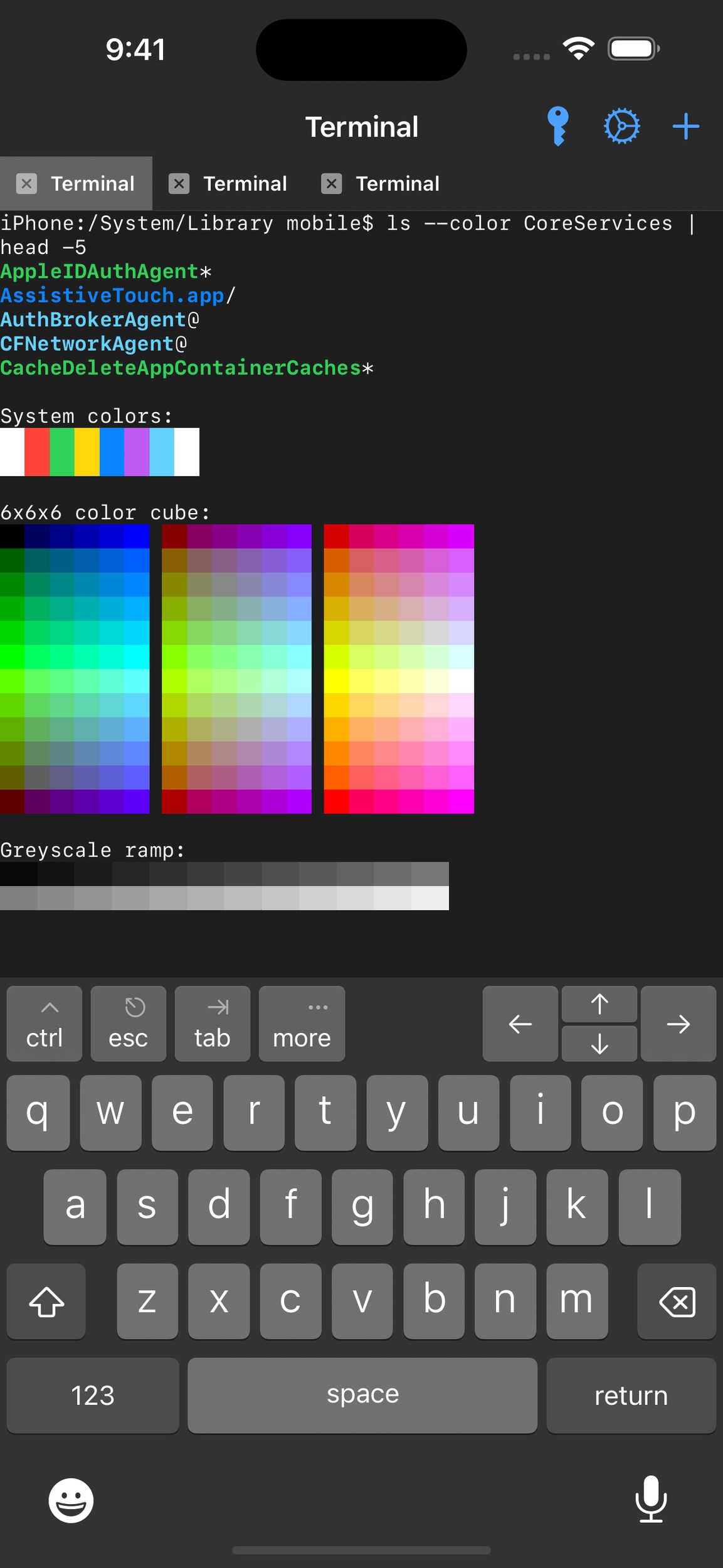
NewTerm 3 delivers improved performance and more accurate emulation. The user interface has been rebuilt, making it easier to use and more visually appealing. Supporting iOS 14 and newer, NewTerm 3 aims to be the best terminal emulator available for iOS. Whether you’re an advanced user looking to get some work done on the command line of your iOS device, or just want to try out some new commands and scripts, NewTerm 3 has you covered.</p>
<p>
One of the key features of NewTerm 3 is its support for <a href="https://chariz.com/get/iterm2-shell-integration">iTerm2 Shell Integration</a>. This brings tighter integration between the terminal app and the programs you use. For instance, NewTerm is aware of the current working directory of each terminal, so when you open a new tab, it’ll already be in that same directory. You can also directly upload and download files within an SSH session using the <code>it2ul</code> and <code>it2dl</code> commands. In future, NewTerm 3 will also be able to display full-quality graphics in the terminal, such as through the <code>imgcat</code> and <code>imgls</code> commands.</p>
<p>
Another standout feature of NewTerm 3 is its ability to create split-screen panes on iPads. This allows you to run multiple terminal sessions simultaneously, making it easier to multitask and work with multiple command-line tools simultaneously. You can have unlimited panes and resize them to fit whatever task you need.</p>
<p>
Performance is a top concern when it comes to terminal emulation. NewTerm 3 is designed to achieve 120 frames-per-second performance on iPhones and iPads with ProMotion, making for a smooth and responsive experience. However, if you’re concerned about battery life
Original developer: HASHBANG Productions
Information
| Version | 3.0~beta1-1042+debug |
| Bundle ID | krd.sizar.newterm3 |
| Type | Roothide |
| Section | Terminal Support |
| Developer | Sizar |
| Size | 9.2 MB |
| Downloads | 298 |
| Works on | iOS 14.0 or later |
| Jailbreak type | Roothide |
Downloads, last 30 days
Changelog
Version 3.0~beta1-1042+debug
Initial release.